
Q1 2025 Product Updates – A platform that grows with you
As communicators, your job is to stay ahead of the story and ours is to ensure nothing slows you down while you're building or protecting your organization’s reputation. That’s why Q1 2025 has been all about getting out of your way; we focused on removing friction, tightening integrations, and giving you more control with less effort. Here's how.

Let’s start where many of your most time-sensitive moments begin: email. Our new Email Template Editor makes it much faster to create a branded campaign. We’ve set up a solid foundation with preset header and footer blocks so you can jump straight into your message. Everything from logo placement to fonts and colors is now configurable in a few clicks. It’s simple but powerful. And most importantly, it helps you keep control over your brand, especially when speed is key.

That same spirit of usability drove the redesign of the Asset Manager. A lot of communicators work with large screens, especially during big announcements or in crisis mode. The new layout finally makes full use of that space. Beyond just a cleaner interface, we also added smarter navigation and better visual cues. The goal is to make it second nature to manage your files and find what you need. We’ve also added support for .ics files, so your stakeholders can now add events to their calendars with a single click. Perfect for press briefings, earnings calls, or on-campus events.
We know that subscribers are the long-term asset behind every great newsroom. So we’ve made the Subscribe module more versatile, with a new option to capture each subscriber’s country. This is a small tweak with a big impact if you want to localize updates or analyze your audience. You can also reorder your lists now, which gives you better control over the topics you want your audience to subscribe to.
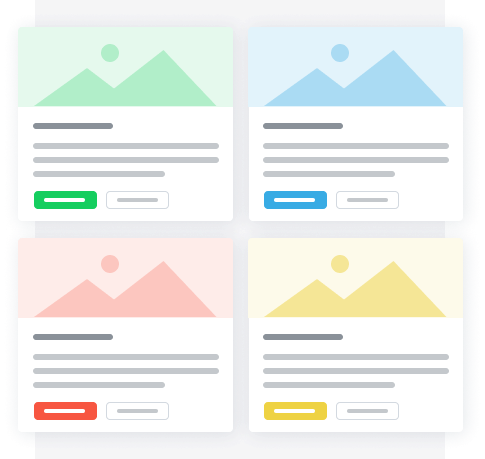
Meanwhile, for your newsroom (and article or custom pages), we’ve added a new Card module. This gives you a lot more flexibility in how you present evergreen content, use cards with images and links, make them fully clickable, or just display short bursts of text. It’s an easy way to draw attention to a report, your company strategy, or a topic you want to highlight.
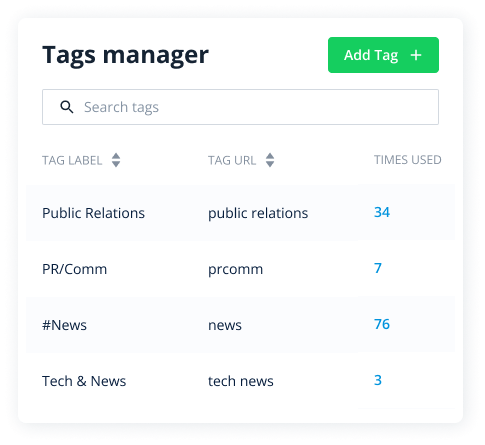
For those managing tags across complex content ecosystems, we’ve added two new functions to the Tags manager: a “Times used” column and Merge tags. It’s not flashy, but it’s deeply useful. You can now see how often each tag is used and click through to see exactly where it appears and better organize your tag structure. This added visibility helps you clean up outdated tags, spot overused labels, or simply find your way back to the right stories.
Finally, our new helpdesk and video tutorials are live. We’ve given the support experience the same design love as the rest of the platform cleaner, faster, and easier to navigate. And with short, focused videos, it’s easier than ever to onboard a colleague or refresh your own workflow.
These updates span every corner of the platform from Publish, to Reach, to Connect. But they all ladder up to the same goal: helping you work faster, look sharper, and stay ready for anything.
Thanks for growing with us. On to Q2.